
How to Shoot in Manual Mode: Complete Beginner's Guide 2024
Master manual mode photography with our step-by-step beginner's guide. Learn aperture, shutter speed, and ISO settings to take stunning photos.
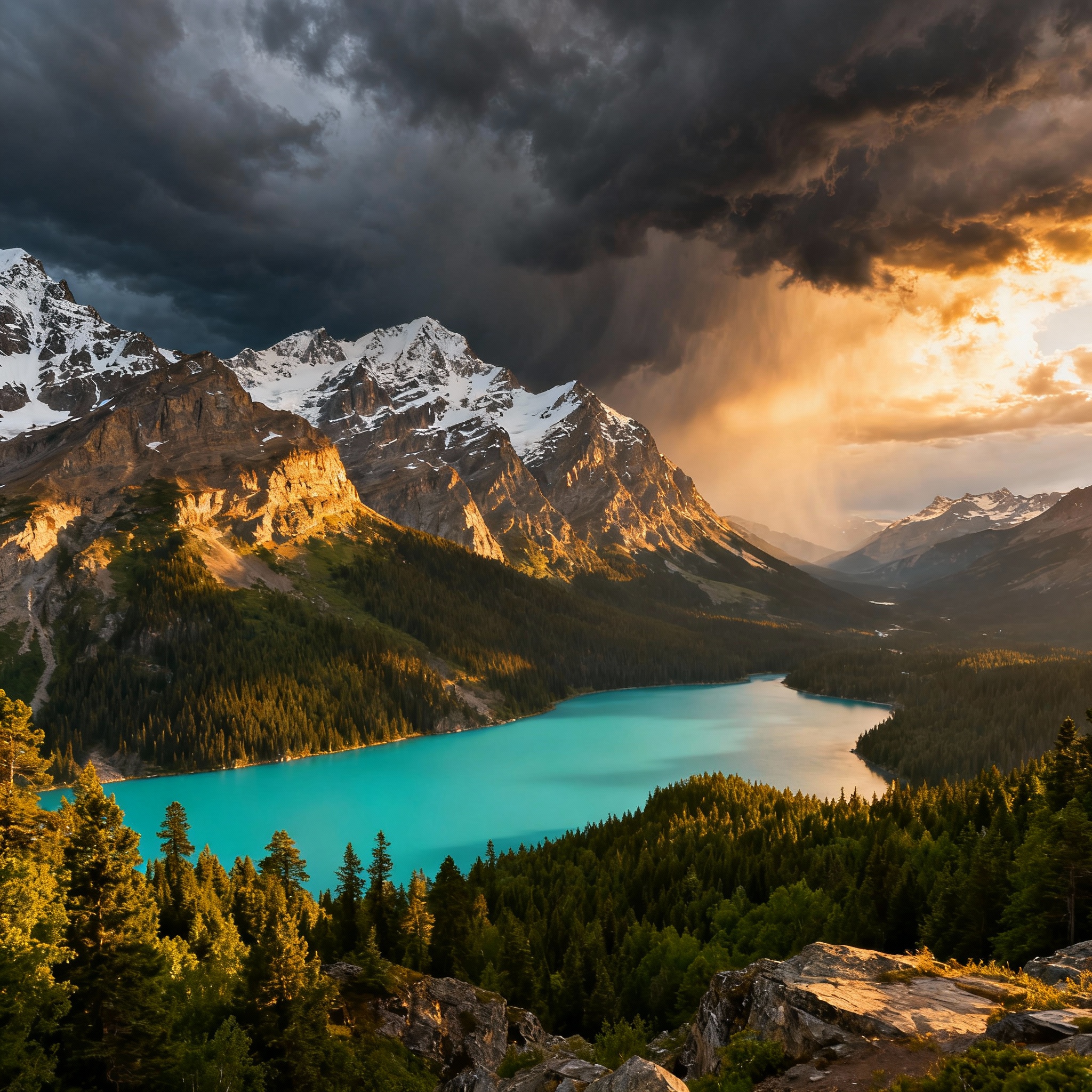
Learning to shoot in manual mode is one of the most empowering skills you can develop as a photographer. While your camera’s automatic modes are convenient, they can’t always capture your creative vision the way you imagine it. Manual mode puts you in complete control of your camera’s settings, allowing you to create the exact exposure and artistic effect you want.
Many beginners feel intimidated by manual mode, but once you understand the fundamental principles, you’ll discover it’s not as complicated as it seems. In this comprehensive guide, we’ll walk you through everything you need to know to confidently shoot in manual mode, from understanding the exposure triangle to practical shooting scenarios.
Understanding the Exposure Triangle
Before diving into manual mode, you need to understand the three pillars of exposure: aperture, shutter speed, and ISO. These three elements work together to determine how much light reaches your camera’s sensor and how your final image will look.
Aperture (f-stop)
Aperture controls the size of the opening in your lens through which light passes. It’s measured in f-stops (f/1.4, f/2.8, f/5.6, etc.). A lower f-number means a wider aperture (more light) and shallower depth of field, while a higher f-number means a narrower aperture (less light) and greater depth of field.
Key aperture effects:
- f/1.4-f/2.8: Wide aperture, shallow depth of field, great for portraits
- f/5.6-f/8: Medium aperture, balanced depth of field, ideal for general photography
- f/11-f/16: Narrow aperture, deep depth of field, perfect for landscapes
Shutter Speed
Shutter speed determines how long your camera’s sensor is exposed to light. Fast shutter speeds (1/500s, 1/1000s) freeze motion but let in less light, while slow shutter speeds (1/30s, 1/4s) allow more light but can create motion blur.
Common shutter speed applications:
- 1/1000s and faster: Sports, wildlife, action photography
- 1/60s-1/250s: General photography, handheld shooting
- 1/30s and slower: Creative motion blur, low light situations (tripod recommended)
ISO
ISO controls your camera’s sensor sensitivity to light. Lower ISO values (100-400) produce cleaner images with less noise, while higher ISO values (800-6400+) allow shooting in darker conditions but introduce more digital noise.
ISO guidelines:
- ISO 100-400: Bright daylight, studio lighting
- ISO 800-1600: Indoor photography, overcast conditions
- ISO 3200-6400+: Low light, night photography
Step-by-Step Guide to Shooting in Manual Mode
Step 1: Switch to Manual Mode
Locate the mode dial on your camera and turn it to “M” for manual mode. On some cameras, you might need to press a mode button and select manual from the LCD screen.
Step 2: Set Your Base ISO
Start with the lowest ISO your camera offers (usually ISO 100 or 200) for the cleanest image quality. You’ll only increase ISO later if you need a faster shutter speed or smaller aperture in low light conditions.
Step 3: Choose Your Aperture
Select your aperture based on your creative intent:
- For portraits with background blur: f/1.4-f/2.8
- For group photos where everyone needs to be sharp: f/5.6-f/8
- For landscapes with front-to-back sharpness: f/8-f/11
Step 4: Adjust Shutter Speed
Use your camera’s light meter (visible in the viewfinder or LCD) to guide your shutter speed selection. The meter typically shows a scale from -3 to +3, with 0 representing what the camera considers a “correct” exposure.
Adjust your shutter speed until the meter reads close to 0, unless you intentionally want to over or underexpose your image.
Step 5: Fine-Tune Your Settings
Take a test shot and review it on your camera’s LCD screen. Check the histogram to ensure you’re not clipping highlights or shadows. If the image is too dark, you can:
- Decrease shutter speed (longer exposure)
- Open aperture wider (lower f-number)
- Increase ISO
If the image is too bright, do the opposite.
Reading Your Camera’s Light Meter
Your camera’s built-in light meter is your best friend when shooting in manual mode. It appears as a scale in your viewfinder or on the LCD screen, typically showing values from -3 to +3 with tick marks in between.
When the indicator points to 0, your camera believes the exposure is correct based on its metering mode. However, “correct” exposure is subjective and depends on your creative vision. Sometimes you might want to underexpose for dramatic shadows or overexpose for a bright, airy feel.
Pro tip: Learn to read your histogram alongside the light meter. The histogram shows the actual distribution of tones in your image and helps you avoid clipping important details in the highlights or shadows.
Essential Manual Mode Settings for Different Scenarios
Portrait Photography
For compelling portraits with shallow depth of field:
- Aperture: f/1.4-f/2.8 for single subjects, f/4-f/5.6 for groups
- Shutter Speed: At least 1/focal length (e.g., 1/85s for an 85mm lens)
- ISO: Keep as low as possible, increase as needed for proper exposure
Landscape Photography
For sharp landscapes from foreground to background:
- Aperture: f/8-f/11 for optimal sharpness across the frame
- Shutter Speed: Use a tripod for slower speeds if needed
- ISO: Base ISO (100-200) for maximum image quality
Action and Sports
For freezing fast-moving subjects:
- Aperture: f/2.8-f/5.6 for adequate depth of field
- Shutter Speed: 1/500s or faster to freeze motion
- ISO: Increase as needed to achieve fast shutter speeds
Low Light Photography
For challenging lighting conditions:
- Aperture: Wide open (f/1.4-f/2.8) to let in maximum light
- Shutter Speed: As slow as possible while avoiding camera shake
- ISO: Higher values (1600-6400+) as needed, balancing noise with usability
Common Manual Mode Mistakes to Avoid
Forgetting to Adjust Settings Between Shots
Unlike automatic modes, manual mode doesn’t adapt to changing light conditions. Remember to check and adjust your settings when moving between different lighting situations or changing your composition.
Ignoring the Histogram
While the LCD preview gives you a general idea of your exposure, the histogram provides precise information about your image’s tonal distribution. Learn to read it to avoid losing detail in highlights or shadows.
Always Trusting the Light Meter
Your camera’s light meter is calibrated for middle gray (18% gray). It can be fooled by very bright or very dark scenes. Trust your eyes and the histogram over the meter when necessary.
Using Auto ISO in Manual Mode
While tempting, using Auto ISO in manual mode defeats the purpose of having complete control. It’s better to manually adjust ISO as part of your exposure triangle considerations.
Camera Equipment Recommendations
For photographers serious about mastering manual mode, having a camera that makes the process intuitive is crucial. The Sony A7 IV is an excellent choice for both beginners and advanced photographers looking to dive deep into manual photography.
Sony A7 IV Specifications
| Feature | Specification |
|---|---|
| Sensor | 33MP Full-Frame CMOS |
| ISO Range | 100-51,200 (expandable to 50-204,800) |
| Shutter Speed | 1/8000 to 30 seconds |
| Viewfinder | 3.68M-dot OLED EVF |
| LCD Screen | 3.0” vari-angle touchscreen |
| Image Stabilization | 5-axis in-body stabilization |
| Video | 4K 60p, 10-bit 4:2:2 |
| Battery Life | 520 shots (viewfinder) |
The A7 IV’s excellent low-light performance, extensive ISO range, and intuitive control layout make it perfect for learning manual mode. The electronic viewfinder provides real-time exposure feedback, helping you see exactly how your settings affect the final image before you take the shot.
Advanced Manual Mode Techniques
Exposure Compensation in Manual Mode
Even in manual mode, you can use exposure compensation to quickly adjust your overall exposure without changing the relationship between your aperture and shutter speed. This is particularly useful when you want to maintain specific creative settings but need to adjust for changing light.
Back-Button Focus
Consider setting up back-button focus, which separates focusing from the shutter button. This gives you more control over when and where your camera focuses, especially useful in manual mode where you’re making all the creative decisions.
Focus Peaking and Magnification
Use your camera’s focus peaking feature (if available) to confirm sharp focus when shooting with wide apertures. The magnification feature is also invaluable for critical focus in landscape and macro photography.
Practice Exercises for Manual Mode Mastery
Exercise 1: The One-Hour Challenge
Spend one hour shooting in the same location using only manual mode. Start with basic settings and gradually experiment with different combinations of aperture, shutter speed, and ISO. This exercise helps you understand how the exposure triangle works in practice.
Exercise 2: Recreate Auto Mode
Take a photo in aperture priority or program mode, note the settings your camera chose, then switch to manual mode and recreate those exact settings. This helps you understand how automatic modes make decisions and builds confidence in manual settings.
Exercise 3: Creative Constraints
Limit yourself to one ISO setting (like ISO 400) for an entire shooting session. This forces you to balance aperture and shutter speed creatively and helps you understand their relationship more intuitively.
Troubleshooting Common Manual Mode Issues
Blurry Photos
If your images are consistently blurry, check:
- Is your shutter speed fast enough for handheld shooting?
- Are you using proper camera holding technique?
- Is your subject moving faster than your shutter speed can freeze?
Photos Too Dark or Too Bright
Exposure issues usually indicate:
- Misreading the light meter or histogram
- Not accounting for your specific creative vision
- Failing to adjust settings when lighting changes
Inconsistent Results
If your exposures vary wildly:
- Double-check that you’re not in a semi-automatic mode
- Ensure your metering mode is appropriate for your subject
- Consider whether your subject’s brightness is affecting the meter reading
When to Use Manual Mode vs. Other Modes
While this guide focuses on manual mode, it’s important to know when it’s the best choice:
Use Manual Mode When:
- You need consistent exposure across multiple shots
- Working with artificial lighting (studio, flash)
- Creating specific creative effects (long exposures, intentional over/underexposure)
- The lighting is consistent and you have time to set up
Consider Other Modes When:
- Shooting in rapidly changing light conditions
- Capturing fast-moving action where settings changes are impractical
- You’re just starting out and need to build confidence
Building Confidence in Manual Mode
The key to mastering manual mode is consistent practice. Start with simple, static subjects in good light, then gradually challenge yourself with more difficult scenarios. Don’t be discouraged if your first attempts aren’t perfect – even professional photographers took time to develop their manual mode intuition.
Consider keeping a shooting journal where you record the settings you used for successful shots. Over time, you’ll start to recognize patterns and develop an instinctive understanding of what settings work in different situations.
Conclusion
Shooting in manual mode transforms you from a passive observer to an active creator in the photographic process. While it requires more thought and practice than automatic modes, the creative control and understanding you gain are invaluable for developing your unique photographic voice.
Start with the basics: understand the exposure triangle, learn to read your camera’s light meter, and practice with simple subjects in good light. As you become more comfortable, gradually tackle more challenging scenarios and creative techniques.
Remember that mastering manual mode is a journey, not a destination. Even experienced photographers continue learning and refining their technique. Be patient with yourself, practice regularly, and don’t be afraid to experiment. The Sony A7 IV mentioned earlier provides an excellent platform for this learning journey, with its intuitive controls and excellent performance across a wide range of shooting conditions.
The investment in learning manual mode will pay dividends in your photography for years to come. You’ll find yourself able to capture images that match your creative vision, work confidently in challenging lighting conditions, and understand your equipment at a deeper level. Most importantly, you’ll develop the technical foundation that allows your creativity to flourish without being limited by your camera’s automatic decisions.
Take your camera, switch it to manual mode, and start practicing today. Your future photographic self will thank you for taking this important step toward mastery.
Related Tags
Looking for the Best Camera Deals?
Check out our latest buying guides and comparison articles to find the perfect camera for your needs.
Browse Buying Guides