
What Is ISO on a Camera: Complete Step-by-Step Tutorial
Learn what ISO means in photography with our step-by-step tutorial. Master camera ISO settings, reduce noise, and capture perfect photos every time.
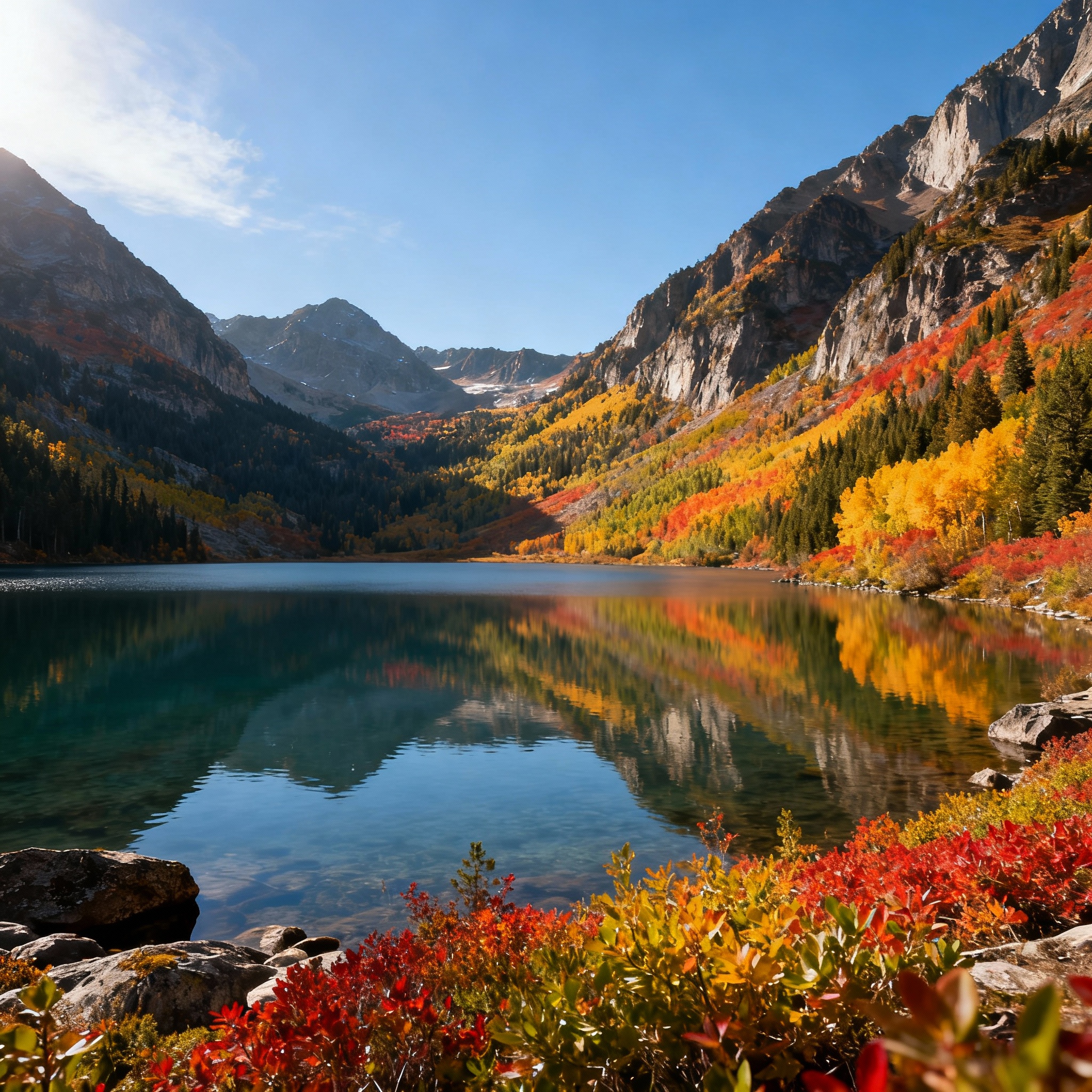
ISO is one of the three fundamental pillars of photography, alongside aperture and shutter speed. Yet it remains one of the most misunderstood camera settings among beginner photographers. Understanding ISO isn’t just about making your photos brighter or darker—it’s about unlocking creative control over your images while maintaining the highest possible image quality.
In this comprehensive tutorial, you’ll learn everything you need to know about ISO, from the basic technical concepts to advanced practical applications. Whether you’re shooting with a smartphone, entry-level DSLR, or professional mirrorless camera, mastering ISO will dramatically improve your photography skills.
What Is ISO in Photography?
ISO stands for International Standards Organization, which originally referred to film sensitivity standards. In digital photography, ISO measures your camera sensor’s sensitivity to light. Think of it as your camera’s ability to “see” in different lighting conditions.
When you increase your ISO setting, you’re essentially telling your camera sensor to become more sensitive to the available light. This allows you to capture properly exposed images in darker conditions without using a flash or slower shutter speeds. However, this increased sensitivity comes with a trade-off: digital noise (grain) in your images.
The Technical Side of ISO
Your camera’s sensor contains millions of tiny photosites that capture light photons. When you increase ISO, you’re amplifying the electrical signal from these photosites. This amplification process inevitably introduces some random electrical interference, which appears as noise or grain in your final image.
Modern cameras like the Sony A7 IV have made significant advances in noise reduction technology, allowing photographers to shoot at higher ISO values while maintaining excellent image quality.
Understanding ISO Values and Stops
ISO values follow a standardized scale that typically starts at ISO 100 and doubles with each full stop:
- ISO 100 (Base ISO - lowest sensitivity, best image quality)
- ISO 200 (1 stop brighter)
- ISO 400 (2 stops brighter)
- ISO 800 (3 stops brighter)
- ISO 1600 (4 stops brighter)
- ISO 3200 (5 stops brighter)
- ISO 6400 (6 stops brighter)
Many modern cameras also offer intermediate settings like ISO 125, 160, 250, 320, etc., providing finer control over exposure.
What Does “One Stop” Mean?
Each full stop of ISO doubles the sensor’s sensitivity to light. Moving from ISO 100 to ISO 200 means your sensor becomes twice as sensitive, allowing you to use a shutter speed that’s twice as fast while maintaining the same exposure.
How ISO Works with Aperture and Shutter Speed
ISO doesn’t work in isolation—it’s part of the exposure triangle alongside aperture and shutter speed. Understanding how these three elements interact is crucial for mastering manual exposure control.
The Exposure Triangle Relationship
- Aperture controls depth of field and light gathering
- Shutter Speed controls motion blur and light duration
- ISO controls sensor sensitivity and image noise
When you change one setting, you must adjust the others to maintain proper exposure. For example, if you increase your shutter speed to freeze motion, you might need to increase ISO to compensate for the reduced light hitting the sensor.
Practical Example
Let’s say you’re photographing a soccer game in the late afternoon:
- You need a fast shutter speed (1/500s) to freeze the action
- You want a medium aperture (f/5.6) for adequate depth of field
- The available light requires ISO 800 for proper exposure
If the light continues to fade, you’ll need to increase ISO to maintain your desired shutter speed and aperture combination.
Step-by-Step Guide to Setting ISO on Your Camera
Step 1: Locate Your ISO Controls
DSLR Cameras:
- Look for a dedicated ISO button on the camera body
- Press and hold the ISO button while rotating the main command dial
- Alternatively, access ISO through the camera’s menu system
Mirrorless Cameras:
- Many mirrorless cameras have customizable function buttons
- Assign ISO to a convenient button for quick access
- Use the electronic viewfinder to see ISO changes in real-time
Smartphone Cameras:
- Open your camera app’s manual or pro mode
- Look for ISO or sensitivity settings
- Adjust using on-screen sliders or controls
Step 2: Choose Your ISO Setting Mode
Manual ISO:
- You select the exact ISO value
- Best for controlled lighting situations
- Provides maximum creative control
Auto ISO:
- Camera automatically selects ISO based on lighting
- Useful for changing light conditions
- Set maximum ISO limits to control noise levels
Step 3: Set Your Base ISO for Optimal Quality
Always start with your camera’s base ISO (usually 100 or 200) when possible. This setting provides the best image quality with minimal noise and maximum dynamic range.
Step 4: Increase ISO as Lighting Demands
Only increase ISO when you need to maintain specific aperture or shutter speed settings. Consider these scenarios:
- Indoor events without flash
- Sports photography requiring fast shutter speeds
- Handheld shooting in low light
- Astrophotography (extremely high ISO values)
ISO Settings for Different Photography Scenarios
Bright Daylight Photography
- Recommended ISO: 100-200
- Why: Abundant light allows for base ISO settings
- Tip: Use polarizing filters to reduce reflections without increasing ISO
Indoor Natural Light
- Recommended ISO: 400-1600
- Why: Limited window light requires moderate sensitivity increase
- Tip: Position subjects near windows for better light quality
Sports and Action Photography
- Recommended ISO: 800-3200
- Why: Fast shutter speeds demand higher sensitivity
- Tip: Test your camera’s noise performance at different ISO values
Concert and Event Photography
- Recommended ISO: 1600-6400
- Why: Stage lighting varies dramatically
- Tip: Shoot in RAW format for better noise reduction in post-processing
Astrophotography
- Recommended ISO: 1600-25600
- Why: Extremely low light conditions
- Tip: Use noise reduction software like DxO PureRAW for optimal results
Portrait Photography
- Recommended ISO: 100-800
- Why: Balancing image quality with adequate shutter speeds
- Tip: Use reflectors or external lighting instead of high ISO when possible
Advanced ISO Techniques and Tips
Using Auto ISO Effectively
Modern cameras offer sophisticated Auto ISO systems that can intelligently manage sensitivity while respecting your creative intentions.
Setting Up Auto ISO:
- Access your camera’s Auto ISO menu
- Set minimum shutter speed (often based on focal length)
- Set maximum ISO limit (based on your noise tolerance)
- Choose sensitivity adjustment method (normal, high, or low)
Auto ISO Best Practices:
- Set maximum ISO to your camera’s acceptable noise level
- Use minimum shutter speed of 1/focal length for handheld shots
- Consider subject movement when setting minimum speeds
ISO Expansion and Extended Settings
Many cameras offer ISO expansion beyond the native range. These extended ISO settings (like ISO 50 or ISO 102400) often compromise image quality and should be used sparingly.
When to Use Extended ISO:
- Creative effects requiring extreme settings
- Emergency situations where image capture is more important than quality
- Specialized applications like scientific photography
Noise Reduction Strategies
In-Camera Noise Reduction:
- Enable high ISO noise reduction for JPEG shooters
- Use long exposure noise reduction for astrophotography
- Understand that in-camera processing may reduce fine detail
Post-Processing Noise Reduction:
- Shoot RAW files for maximum flexibility
- Use dedicated noise reduction software
- Balance noise reduction with detail preservation
Common ISO Mistakes to Avoid
Mistake 1: Always Using Auto ISO
While convenient, Auto ISO can make poor decisions in complex lighting situations. Learn to recognize when manual control is necessary.
Mistake 2: Fear of High ISO
Modern cameras handle high ISO values much better than older models. Don’t avoid necessary ISO increases—a slightly noisy sharp image is better than a noise-free blurry one.
Mistake 3: Ignoring the Exposure Triangle
ISO changes affect your entire exposure. Always consider how ISO adjustments impact your aperture and shutter speed choices.
Mistake 4: Using Extended ISO Without Purpose
Extended ISO settings often produce inferior results. Use them only when absolutely necessary.
Mistake 5: Not Testing Your Camera’s Limits
Every camera handles noise differently. Spend time testing your specific camera’s performance at various ISO settings.
Camera-Specific ISO Performance
Full-Frame Cameras
Full-frame sensors generally offer better high-ISO performance due to larger individual photosites. Cameras like the Sony A7 IV provide excellent image quality up to ISO 6400 and usable results even at ISO 12800.
| Camera Type | Excellent Quality | Good Quality | Emergency Use |
|---|---|---|---|
| Full-Frame | ISO 100-1600 | ISO 3200-6400 | ISO 12800+ |
| APS-C | ISO 100-800 | ISO 1600-3200 | ISO 6400+ |
| Micro 4/3 | ISO 100-400 | ISO 800-1600 | ISO 3200+ |
| Smartphone | ISO 100-200 | ISO 400-800 | ISO 1600+ |
APS-C and Crop Sensor Cameras
Crop sensor cameras typically show noise earlier than full-frame models but still provide excellent results within their optimal ISO range.
Mirrorless vs. DSLR ISO Performance
Modern mirrorless cameras often match or exceed DSLR ISO performance while offering real-time exposure preview through electronic viewfinders.
Post-Processing and ISO
RAW vs. JPEG for High ISO
RAW files contain more information and allow for better noise reduction in post-processing. If you frequently shoot at high ISO values, always shoot RAW.
Noise Reduction Software
- Topaz DeNoise AI: Excellent for extreme noise reduction
- DxO PureRAW: Integrates well with existing workflows
- Adobe Camera Raw: Built-in noise reduction with good results
- Luminar Neo: AI-powered noise reduction tools
Balancing Noise Reduction and Detail
Aggressive noise reduction can eliminate important image details. Always find the right balance between noise reduction and detail preservation for your specific image.
Practical Exercises to Master ISO
Exercise 1: ISO Comparison Test
- Set up a still life in moderate indoor lighting
- Photograph the same subject at ISO 100, 400, 800, 1600, 3200, and 6400
- Keep aperture and composition identical
- Adjust shutter speed to maintain consistent exposure
- Compare results on your computer to understand your camera’s noise characteristics
Exercise 2: Low Light Challenge
- Find a dimly lit indoor location
- Photograph the same subject using different combinations:
- Low ISO with slow shutter speed
- High ISO with fast shutter speed
- Compare sharpness vs. noise trade-offs
- Determine your personal preference for different situations
Exercise 3: Auto ISO Configuration
- Set up Auto ISO with conservative settings
- Photograph in changing light conditions
- Review camera’s ISO choices
- Adjust Auto ISO parameters based on results
- Test again until you achieve desired performance
Conclusion and Final Recommendations
Mastering ISO is essential for taking full creative control of your photography. Remember that ISO is just one part of the exposure triangle, and the best ISO setting depends entirely on your specific shooting situation and creative goals.
Key Takeaways:
- Start with base ISO (100-200) whenever possible for optimal image quality
- Increase ISO when you need to maintain specific aperture or shutter speed settings
- Modern cameras like the Sony A7 IV handle high ISO values remarkably well
- Don’t fear higher ISO values if they help you capture the shot
- Shoot RAW for maximum flexibility in post-processing
- Test your specific camera’s ISO performance to understand its capabilities
Recommended Practice Routine:
- Spend time with your camera in different lighting conditions
- Practice switching between manual and Auto ISO modes
- Experiment with your camera’s maximum usable ISO settings
- Learn to balance the exposure triangle for creative control
The goal isn’t to always use the lowest ISO possible—it’s to use the right ISO for your creative vision while maintaining acceptable image quality. With practice and experimentation, you’ll develop an intuitive understanding of when and how to adjust ISO for stunning results in any lighting condition.
Remember, photography is about capturing moments and telling stories. Sometimes a slightly noisy image that captures the perfect moment is infinitely more valuable than a technically perfect but missed opportunity. Master the technical aspects of ISO, but never let technical perfection override your creative instincts.
Related Tags
Looking for the Best Camera Deals?
Check out our latest buying guides and comparison articles to find the perfect camera for your needs.
Browse Buying Guides